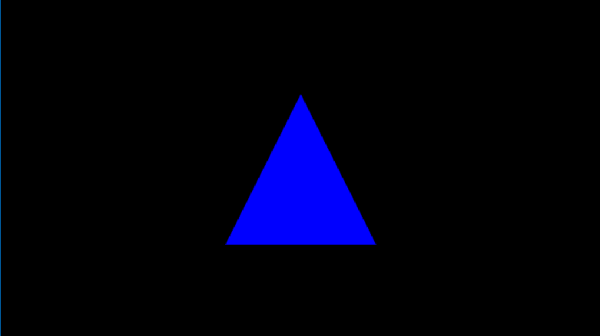
[TTTA] Episode 1 Hello Triangle

In the first episode, let’s talk about drawing a single triangle on your screen. By analyzing a frame captured from a triangle application, let’s learn what need to offer to the operating system to render this blue triangleIn our inaugural episode, we’ll explore how to render a single triangle on your screen. By examining a frame captured from a simple triangle-rendering application, we’ll learn about the essentials provided to the operating system to achieve this.

Continue reading “[TTTA] Episode 1 Hello Triangle”

Triangle-To-Triple-A Series – Intro

Step into the realm of game graphics with our comprehensive blog series, designed to empower you with a fundamental understanding of the modern graphics pipeline and the essence of graphics API calls. As we traverse the theoretical concepts, our narrative will be lightly sprinkled with practical examples, aiming to show how applications converse with the operating system to paint pixels on the screen—no heavy coding, just the pure science of graphics.

Within this series, we’ll occasionally reference Intel’s Graphics Performance Analyzers (GPA), a tool that exemplifies these concepts in action, though our focus will remain firmly on the underlying graphics principles rather than the intricacies of the tool itself. By the end of our journey, you’ll not only grasp the foundational elements of game graphics but also appreciate how they coalesce to form the breathtaking visuals in contemporary gaming.

Join us as we peel away the layers of complexity in modern graphics, clarifying the dialogue between application and machine, and illuminating the path from the genesis of a graphic call to the lush, immersive environments that define today’s gaming experiences.


All the frame/stream captures will be used in the blogs can be found under my shared one drive:

https://drive.google.com/drive/u/0/folders/1c8vXyConNvgtM43VnboaAlXCCb8He0ZO


Hope you can enjoy!

*May use the assistant with ChatGPT in the blog writing, but will review before publish:)

Graphics Software Engineer work categories

After joining Intel for some months, I collect different categories of works and positions here, and get to know the different focus people are on. As an End-to-end validation engineer, I am happy that I get a chance to work with different teams.

“Graphics Software Engineer” I mean here is not just for pure “Computer Graphics Appilication”, but more for “GPU Software Engineer”. Shader processing, rendering or calculating is not only in graphics related feature but more like in everywhere, so I am putting all relevant parts here, as a brief introduction on what we are expecting when we are speaking about graphics driver.

First of all, as a software engineer, GPU drivers are the most important things we take care. Below are different component teams working on different parts of a GPU driver.

  1. Kernel Mode Driver: Focusing on OS kernels, enable the new hardware in general operations, including memory management, power management, workload scheduling, ect.
  2. User Mode Driver – Graphics: For graphics area, there are 4 major graphics API drivers: [Vulkan, OpenGL, DirectX12, DirectX(*before12)]. Vulkan and OpenGL are generic for both Windows and Linux. DirectX is a graphics API provided and maintained by Microsoft for Windows systems. DirectX series are the most commonly used graphics API in the most popular games. DirectX12 is separated out is mainly because the change is huge. DirectX12 to DirectX10 is like Vulkan to OpenGL.
  3. User Mode Driver – Media: While playing videos or using video editing software, the driver handles encoding and decoding process. Note that sometimes media driver is using graphics APIs as well.
  4. User Mode Driver – Display: The rendering results will need to be shown on the connected display. This part is focusing on display protocols and data synchronizations.
  5. Compiler: Shader codes need to be compiled to be recognized and executed. We all know that OpenGL and other shader languages are designed to be compiled during the execution of applications, because the application never knows what the hardware to be installed on, but we also have situations that shader codes need to be compiled ahead of time. And also, specially for DirectX, shader codes are compiled twice. 1 time during compilation, 1 time during the compilation (to DXBC) and the other to the specific hardware.
  6. User Mode Driver – OpenCL: OpenCL is a common API across different platforms. This is the very basic part to design some GPGPU applications. Although it exists in both Linux and Windows, more and more modern solutions are popping out to replace it.
  7. User Mode Driver – Specialized high performance computing component (HCP): GPU provider specialized component. CUDA for Nvidia, OneApi for Intel, ect.
  8. System Control: Some GPU devices provide interfaces to control hardware system, like overclocking. Intel Arc Control provides you the ability to adjust overclocking during real-time.
  9. AI: In most cases it is not a separate component, but most likely to be a part of other user mode drivers. E.x. DirectML for AI on windows, Cuda/OneAPI for Linux, ect

TOBE CONTINUE… Pre & Post Silicon, hardware validation, software component validation, software tools, end to end validation.

Blog at WordPress.com.

Up ↑